Simple Android app for wireless mobile-to-projector screen mirroring
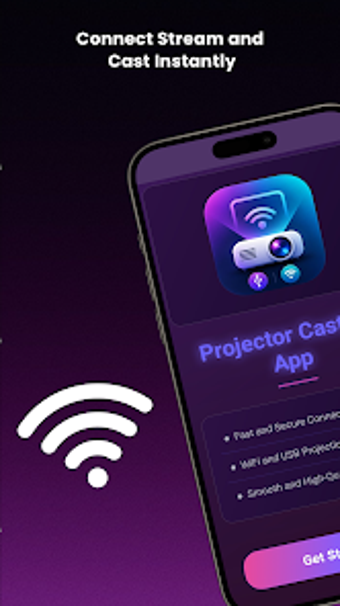
Projector Casting App, developed by Muqadas, connects Android phones to projectors for screen mirroring and presentation display. The app establishes wireless links with automatic device detection and a quick pairing flow so users can start casting in a few taps. Key elements include smooth reconnection for previously paired projectors, support for HD through 4K output, and a lightweight interface aimed at presenters, educators, mobile gamers, and home viewers who want a fast setup.
How the app establishes a wireless projector link
The app scans nearby wireless devices and presents compatible projectors for immediate pairing, using a stepwise setup designed to finish in a few taps. It lists common projector technologies, and stores previous pairings to enable smooth reconnection, which reduces repeated manual pairing. This workflow matches scenarios where users move between rooms or repeat the same setup for presentations, lessons, or movie viewing.
Does it affect device responsiveness during casting?
Designed as a lightweight tool, the app targets responsive mirroring on typical Android hardware. Quick pairing routines and a concise interface aim to keep interaction delays low, and the stored pairing records shorten time spent re-pairing. Those behaviors mean short presentation sessions and casual media playback run with responsiveness appropriate for classroom and home cinema use.
Is it suitable for non-technical users and what trade-offs exist?
The app presents a simple UI intended for beginners while remaining usable by experienced users. It requires a wireless-enabled projector and a phone with WiFi or Bluetooth, so successful operation depends on compatible external hardware. As a free utility it shows advertisements to support the build, which can interrupt active workflows. The developer maintains other projector apps, indicating focused experience in device connectivity tools.
A practical, focused casting tool with an advertising trade-off
Projector Casting App is a practical option for presenters, educators, and home viewers who need quick mobile-to-projector mirroring. The main trade-off is the inclusion of advertisements in the free release, which can interrupt active sessions. Given the developer's portfolio of projector utilities and a growing user base that highlights the straightforward pairing flow, the app fits users who prioritize fast, focused casting. Recommended.